SwitchBot Permanent Outdoor Lights vs Govee Lights 2: Which Fits Your Home?
The nicest thing about permanent outdoor lights may be what happens after the holidays. The bright colors settle into a quiet white glow, the house still looks welcoming, and there is no box of tangled lights waiting to be put away.
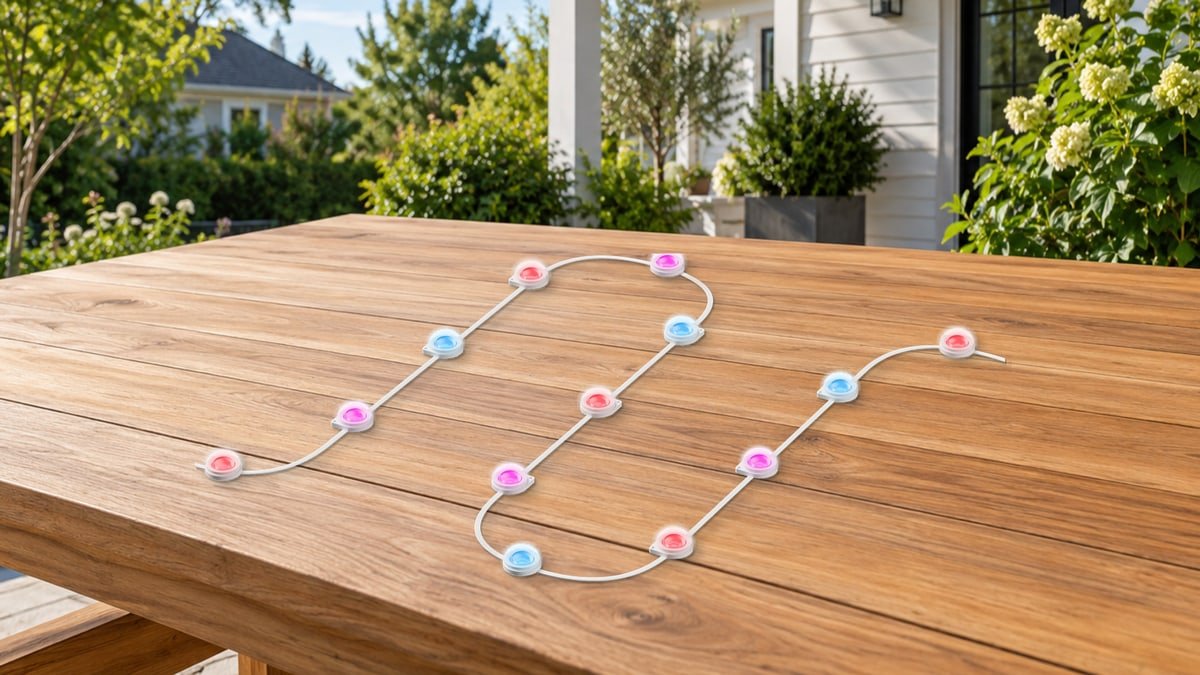
SwitchBot has entered this category with a 30-meter system that combines animated colors with separate warm- and cool-white LEDs. That makes it an interesting alternative to Govee Permanent Outdoor Lights 2, particularly if you care as much about an ordinary Tuesday evening as Christmas Eve.
SwitchBot Permanent Outdoor Lights vs Govee, in brief: shortlist SwitchBot for adjustable everyday white light and a roughly 100-foot installation. Choose Govee Lights 2 when its 50-, 100-, or 150-foot configurations better match your house, or you already enjoy Govee’s lighting app. For a roofline that requires custom cuts, compare a specifically cuttable system instead: Govee Lights 2 is not cuttable, and SwitchBot’s launch documentation does not confirm custom cutting.
This comparison focuses on SwitchBot’s US 30m kit and Govee’s 100ft H705E. Govee Pro, 2 Pro, and Prism are different products, not interchangeable names for Lights 2. SwitchBot launched this system on October 20, 2026; its long-term ownership record is still developing.
The Everyday Appeal Is More Than Holiday Color
Govee has the more established body of firsthand coverage here. In Christopher Null’s hands-on Lights 2 review, the standouts were bright, rich colors and the range of lighting effects. An owner who installed nearly 150 feet on an Arizona home also liked the clean appearance and white light for the off-season. Those are two different experiences, but they point to the same useful benefit: this can be an exterior-lighting purchase, not just a Christmas decoration.
The planning lesson is equally practical. Another Lights 2 owner was pleased with the result but had unwanted lights in the middle of the run after installation. Before choosing either brand, draw the route and mark where you want light and where you only need wire. A few minutes with that sketch can be more valuable than another hundred app effects.
SwitchBot’s strongest reason to join the shortlist is its dedicated white-light adjustment. The manufacturer specifies 2700K to 6500K, allowing a softer evening look or a cooler appearance without relying solely on a mixture of colored LEDs. There is not yet enough accessible exact-model owner evidence to say whether its mounting, app, or weather resistance is better than Govee’s.
Compare the Kits, Not Just the Brand Names
| Buying consideration | SwitchBot Permanent Outdoor Lights | Govee Permanent Outdoor Lights 2 |
|---|---|---|
| Kit compared | 30m, approximately 98ft | 100ft H705E |
| Light layout | 72 lights in six 5m sections | 72 lights; 417mm spacing |
| White-light hardware | Separate warm and cool white; 2700K-6500K | RGBWIC with a dedicated white LED; not the Pro family’s dual-white design |
| Advertised output | Up to 40 lumens per light | Up to 40 lumens per light |
| Longer installation | Included extensions bridge gaps; advertised route up to 36m | Matching extensions for H705D/H705E; maximum 150ft/45m |
| Custom cutting | Not confirmed in the launch documents; plan around factory sections | Not supported |
| Connected-home control | Native Matter over Wi-Fi; no SwitchBot hub needed for Matter | Matter plus the Govee Home app |
| Weather protection | IP67 strings; IP65 controller and adapter | IP67 strings; US listing specifies IP65 controller and adapter |
Manufacturer specifications, not a side-by-side brightness or durability test. Check the instructions and adapter label supplied with your regional kit.
Why White Light Can Be the Deciding Feature
Imagine a porch with warm wall lanterns, wood trim, and a brick wall. A cooler roofline can look separate from the rest of that scene even when both products are called white lights. Adjustable color temperature gives you another way to bring the lighting together before reaching for a more elaborate effect.
For SwitchBot, start toward the warm end of its range for a relaxed evening, then adjust while looking at the whole house rather than a single light. Its app also supports dimming from 1% to 100%. That combination is useful if a full-brightness display looks impressive from the street but feels excessive from a nearby window.
Govee Lights 2 is not an RGB-only product: it has a dedicated white LED too. However, Govee distinguishes its white-light design from the separate warm- and cool-white channels in the higher-end Pro family. If matching a particular white tone matters, ask to see the exact Lights 2 model in white mode; do not rely on a Pro demonstration or a color-wheel screenshot.
Equal advertised lumens do not settle the visual comparison. Wall color, mounting distance, the shape of the light pattern, and your brightness setting all affect the impression. Treat these systems as decorative and architectural lighting; select a purpose-built fixture separately if your main job is lighting a driveway or detecting movement.

Will One Box Actually Fit Your House?
A house can look compact from the street and still need a surprisingly long run once you include the garage, porch returns, and a second roof level. Measure the route along the intended mounting position, not just the width of the building.
Keep three figures separate: illuminated length, unlit gaps, and the distance from the outlet to the first light. SwitchBot’s 30m of lighting and its up-to-36m installation route describe different things. The extra distance comes from extension cables; it does not turn the kit into 36m of illuminated string.
Govee’s matching extension-light option is useful when a 100ft kit is close but not quite enough. Its official limit remains 150ft/45m, with no more than nine light sections and four extension cables. First-generation Govee strings are not compatible replacements. More roofline than that calls for a different layout or additional separately powered systems, not an improvised extra-long chain.
A Simple Planning Example
Suppose your preferred lit sections total 27m and a porch gap needs another 3m of unlit cable. On a sketch, that is a 30m route with 27m illuminated. It sounds like an easy fit for a 30m lighting kit, but the connector positions still matter: six fixed 5m sections cannot automatically become any combination of lengths you choose.
Mark each factory connector on your drawing. Can it land where the porch gap begins? Where would the unused lit length go? Is there room for a neat return, or would you be lighting an area you wanted dark? This is a layout example, not a promise that either kit supports that exact arrangement.
- Mostly straight front elevation: fixed sections may work neatly with very little adaptation.
- Several separated roof levels: count unlit crossings and check the included extension lengths before ordering.
- Precise endpoints at several peaks or corners: a manufacturer-approved cuttable system may justify its higher cost.
- A rental or a surface you cannot drill: resolve the approved mounting method first, before treating the adhesive as a permanent answer.
Some owners describe cutting non-cuttable Govee strings successfully. That does not change the manufacturer’s restriction or establish weatherproofness and warranty coverage. Buy for the installation you can complete within the instructions.
A Good Installation Starts Before the Ladder
Lay out the supplied sections, connect them as instructed, and try the colors and your preferred white setting at ground level. Pair the app and test the intended smart-home controls while the controller is easy to reach. Discovering a missing part or an unsuitable pattern now is much easier than discovering it above the garage.
Then temporarily position a short section at a safe, accessible height and look at it after dark. This helps you choose how the light lands on your particular wall. Christopher Null’s Govee review found that spacing could look a little sparse on smaller rooflines, even though the light itself was bright. That is a reason to preview the effect, not evidence that the product is too dim.
Follow the kit’s mounting instructions and use appropriate mechanical fasteners where specified. Govee’s H705E manual recommends a clean, smooth, dry surface and clips; it also notes that reused adhesive loses grip and cold conditions reduce initial adhesion. SwitchBot provides adhesive and screws for its installation approach. Neither system removes the need to choose a sound mounting surface.
For a high roofline, include professional installation in the comparison. The better buy may be the kit an installer can route cleanly with standard parts, rather than the one with the lowest box price.
Matter for Everyday Control, the Brand App for the Show
Matter is useful when outdoor lights should join the rest of the home. A bedtime routine can include them alongside other compatible devices, and household members can use a familiar control app instead of learning every manufacturer’s interface.
SwitchBot uses Matter over Wi-Fi and does not require an additional SwitchBot hub for that connection. You still need a compatible Matter controller in your chosen ecosystem. It is not a Thread accessory that requires a Thread border router simply because it carries the Matter logo.
Keep the manufacturer app for detailed effects, setup, and product-specific options. Matter exposes supported lighting controls, not necessarily every animated scene from the brand’s app. Govee’s appeal includes a substantial effects library; SwitchBot adds its own scenes, schedules, music response, and a wired controller with basic switching and ten brightness levels.
When Pairing Works in One App but Not Another
Start by separating the two connections. If the lights respond in the brand app but not Apple Home, Google Home, or SmartThings, the problem may be the Matter setup rather than the LED string. Check the controller’s requirements and use the ecosystem’s supported sharing process for a device already commissioned elsewhere. Home Assistant’s Matter documentation explains why a compatible local network and IPv6 support matter.
For Govee H705E Wi-Fi trouble, the manual starts with a working 2.4GHz network, Bluetooth enabled during pairing, correct credentials, and adequate range. Test closer to the router before resetting an installed system. A reset means setting things up again, so it should not be the first response to every temporary offline indication.
One owner using Lights 2 alongside Govee Icicle lights reported success by pairing with SmartThings first and adding the Govee app afterward. That is an owner-reported workaround, not a universal fix. If normal commissioning fails repeatedly, record the exact model, firmware, controller, and symptom for support rather than applying instructions for a different Govee light.
Weather Resistance and Sensible Long-Term Care
Both brands design these kits to stay outside. SwitchBot specifies an operating range of -4°F to 140°F and UV-resistant housing. Those are useful buying specifications, but a rated LED lifespan is not a warranty that the adhesive, power supply, connectors, and controller will all last the same number of hours.
Give the power connection as much attention as the light string. Govee’s US instructions call for a covered Class A GFCI receptacle with a weatherproof enclosure. Follow the supplied adapter’s location restrictions and keep connections out of standing water. Have an electrician resolve an unsuitable outlet; do not substitute an unapproved power supply.
A serious but isolated October 2026 owner report described a melted light housing on a Govee Lights 2 50ft kit and an offer of replacement or refund. The cause was not independently established, and it does not tell us the failure rate of the 100ft kit. The appropriate response to melting, scorching, a damaged cable, or a burning smell is nevertheless clear: stop using the system, disconnect power safely, and contact the manufacturer. Do not keep testing a damaged string.
For normal care, check accessible mounts and cables after severe weather and arrange safe access if a section has come loose. Keeping the original model information, receipt, and installation photos also makes a support conversation easier if a component needs replacement later.
Compare the Finished Project Cost
SwitchBot introduced its 30m system at a US MSRP of $239.99. That is a launch reference, not a guaranteed checkout price. Compare the actual offer for the kit you need, then add approved extensions, mounting supplies, any required Matter controller, and installation labor.
A useful comparison is the total cost of achieving your planned result. Paying less for a kit that needs a second power run or leaves a distracting cable across a porch is not necessarily a saving. Equally, paying for a cuttable premium system may be unnecessary when a straightforward front elevation fits standard sections.
Once the layout is settled, check SwitchBot coupons and deals for offers on the exact kit. Distinguish an automatic checkout promotion from a code you must enter, and check whether an offer applies to your selected product.
If you are also planning arrival routines or other connected-home upgrades, Smart Home Coupons & Deals can help you compare complementary devices. Choose them around the ecosystem and task you actually need, rather than assuming that sharing a brand name makes every automation possible.
Which One Would Make the Better Purchase?
SwitchBot is the more interesting shortlist choice when everyday white light is the priority. Its adjustable warm-to-cool range gives you room to match the house, while native Matter offers a route into an existing compatible smart home. It is especially worth considering when your planned installation fits the 30m kit without undocumented alterations.
Govee Lights 2 is the more established option for buyers who value its effects and available kit sizes. There is firsthand evidence of attractive light and useful scene control, and the 50ft/100ft/150ft range gives you more starting points. Keep the no-cutting limit in view when designing the route.
For either choice, the next step is the same: take a photograph of the facade, mark the illuminated sections and unlit crossings, and match that plan to the actual box contents. Choose the light you will enjoy on an ordinary evening, then let the holiday effects be the bonus.
Questions Before You Order
Does SwitchBot Permanent Outdoor Lights need a hub?
Not an extra SwitchBot hub for its native Matter connection. A compatible Matter controller is still required for the chosen smart-home platform. Basic physical controls remain available without Wi-Fi.
Can you cut Govee Permanent Outdoor Lights 2?
Govee says this model cannot be cut. Use its supported sections and extensions, or compare a model explicitly designed for cutting. Advice about Govee Pro does not automatically apply to H705E.
Is SwitchBot’s 36m figure the illuminated length?
No. The kit contains 30m of lighting. The larger advertised installation distance includes extension cables for crossing gaps.
Is Govee Elite the same as Lights 2?
Govee identifies the Costco Elite version and its H705F Lights 2 as the same product. Retail bundles can still differ in model number, length, and included parts. Check the box rather than applying the Elite name to every Govee system.
Which is better for year-round white lighting?
SwitchBot has the clearer specification advantage if you specifically want separate warm- and cool-white channels with a 2700K-6500K range. Govee Lights 2 also has a dedicated white LED and may suit you well if you like its appearance. Neither has been brightness-tested against the other for this article.
Sources
- SwitchBot Permanent Outdoor Light reviewer guide: white-light range, controls, mounting, and weather specifications
- SwitchBot’s October 20, 2026 announcement: US launch, kit layout, extension distance, and MSRP
- Govee US H705E product specifications, FAQ, and permanent-light comparison chart, checked October 31, 2026: kit sizes, white-light design, extension compatibility, and cutting restrictions.
- Govee H705E manufacturer manual, archived copy: mounting, Wi-Fi troubleshooting, and adapter precautions
- Christopher Null’s hands-on Lights 2 review: color, brightness, spacing, and installation experience
- Lights 2 owner installation report: off-season white light and screw-mounted clips on an Arizona home
- Lights 2 owner discussion: unwanted lit sections and why route planning matters
- Owner-reported SmartThings commissioning workaround for Govee Matter lights
- Home Assistant Matter documentation: controllers, local networking, and commissioning
- Isolated Lights 2 50ft owner report of thermal damage and manufacturer contact
DiscountedSavings may earn a commission from qualifying purchases through product links.