CARLUEX Wireless CarPlay Adapter Guide: LINK vs AIR vs GO vs PRO+ 2.0
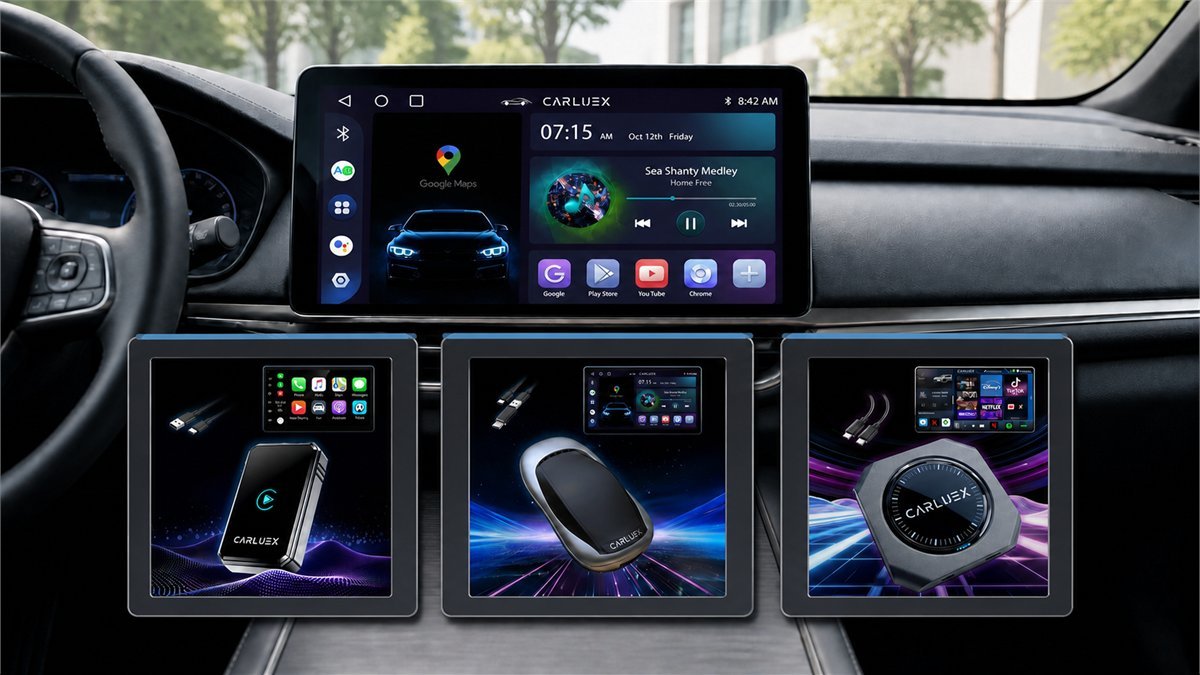
CARLUEX sells two very different ideas under the adapter label. One is a simple bridge that removes the cable from an existing CarPlay setup. The other is a small Android computer that can run apps, play media, and then open CarPlay or Android Auto inside its own interface. Choosing between them is less about buying the most expensive box and more about deciding how much complexity belongs in a car.
First decide whether you need a dongle or an AI box
A basic wireless CarPlay adapter has one job: the car sees a wired CarPlay device at its USB port, while the iPhone talks to the adapter over Bluetooth and Wi-Fi. Once pairing is complete, the familiar CarPlay interface appears on the dashboard. Navigation, calls, messages, and music still come from the phone.
An AI box takes a longer route. It boots its own Android operating system, sends that interface to the car through the wired CarPlay connection, and can run apps with a hotspot, SIM card, or local storage. CarPlay and Android Auto become modes inside the box rather than its entire purpose. That distinction explains why one CARLUEX model can feel nearly instant while another needs time to boot, load a launcher, and negotiate several connections.
Choose a simple bridge when
You want maps, calls, Siri, messages, and music without plugging in the phone. Fast recovery and predictable factory controls matter more than streaming apps.
Choose an AI box when
You want offline media, Android apps, split-screen tools, a data SIM, or video on the factory display while parked, and you accept a longer startup and more setup variables.
The compatibility test that matters most
The standard CARLUEX range expects a vehicle that already has factory wired Apple CarPlay. A touchscreen, Bluetooth audio, Android Auto, or a USB charging port does not prove compatibility. Connect an iPhone directly with a known data cable and confirm that the factory CarPlay interface opens from the same USB port you plan to use.
A compatibility list can narrow the search, but it cannot certify every trim, regional head unit, aftermarket receiver, software version, or widescreen layout. Independent tests found that the same class of adapter could behave normally on one car and produce stretched graphics, missing navigation prompts, or awkward call controls on another.
CARLUEX LINK vs GO vs AIR vs PRO+ 2.0
| Model | What it really is | Best fit | Useful extras | Main compromise |
|---|---|---|---|---|
| LINK | Compact wireless CarPlay bridge | Daily commuting and short trips | Auto-connect, voice and steering-wheel control where supported | Few reasons to choose it if the car already has reliable native wireless CarPlay |
| GO | Three-in-one Android 11 media box in the independently reviewed sample | Wireless CarPlay or Android Auto plus USB media and casting | USB playback, Netflix, YouTube, mirroring and casting | Roughly 30-second reviewed startup and a closed, older Android platform |
| AIR | Compact Android-based AI box | Drivers who want downloadable apps and offline media | Play Store access in reviewed units, local storage, hotspot use | Published samples disagree on Android version; display scaling can vary by car |
| PRO+ 2.0 | Android 13 multimedia AI box in current independent tests | More demanding parked entertainment and navigation setups | SIM, microSD, micro-HDMI, split screen and broader app support | Higher cost, 20-30 second reviewed boot, and mixed call/control behavior |
Specifications can change between production batches, regional storefronts, and firmware revisions. AIR is the clearest example: reviewers have reported different Android versions while testing devices sold under the same model name. Treat the current product card and supplied documentation as the final reference for the unit being sold, not an older review headline.
CARLUEX LINK: the lower-friction choice
LINK makes the most sense when the cable is the problem and the factory CarPlay experience is already good. There is no Android launcher to learn and no separate app library to maintain. The phone remains the computing platform, so Apple Maps, Google Maps, Waze, calls, and media behave much closer to the familiar wired workflow.
The tradeoff is inherent to wireless CarPlay rather than unique to CARLUEX: the adapter must reconnect Bluetooth and Wi-Fi after every start. A small delay before the interface appears is normal, and music controls can respond slightly later than over USB. Wireless operation also removes the charging benefit of a wired connection, so longer drives may still call for a charger.
There is also some ambiguity in current naming. The cached listing describes LINK as a CarPlay and Android Auto adapter, while the current US product copy emphasizes Apple CarPlay. Android drivers should confirm support for their exact phone and vehicle instead of assuming that every LINK package handles both platforms.
CARLUEX GO: useful middle ground for local media
GO is more than a cable replacement. One detailed test identified it as a three-in-one unit combining wireless CarPlay, wireless Android Auto, and USB media playback. The reviewed hardware ran a closed Android 11 interface with built-in Netflix and YouTube, casting support, a USB-A media port, and settings for firmware updates and cache clearing.
That design suits a driver who wants a few media options without paying for the most elaborate box. It also limits flexibility compared with a full Play Store device. In independent testing, startup took about 30 seconds, and another reviewer found the Android Auto side less stable and lower in resolution than the Apple experience. Those are meaningful caveats for anyone buying primarily for Android Auto.
CARLUEX AIR: compact, flexible, and firmware-dependent
AIR occupies the awkward but interesting space between a dongle and a full multimedia box. Review samples exposed a Google Play Store, Google Maps, YouTube, local storage, and downloadable media, so the device could operate without a phone once apps and offline content were prepared. Online apps still needed a phone hotspot or another Wi-Fi source.
One Kia Sportage test reported normal Android Auto operation, working voice-assistant control from the steering wheel, and no noticeable extra lag. The same test also found that an ultrawide display initially stretched the interface and required a display-layout adjustment. A separate AIR test reported stable automatic connection but identified a different Android version. Together, those results are a reminder that the model name alone does not tell the whole firmware story.
AIR is appealing when downloadable apps and offline maps genuinely matter. It is less convincing when the only goal is to avoid one cable, because the additional Android layer creates more things to update, pair, and recover.
CARLUEX PRO+ 2.0: the capable option with real limits
PRO+ 2.0 is the model that most clearly behaves like a small computer. Independent reviews identify Android 13, a Qualcomm Snapdragon 6125 platform, 64 GB of storage, microSD expansion, a SIM slot, and micro-HDMI output. The hardware can run maps, Spotify, streaming services, and split-screen combinations without relying entirely on the phone.
That feature list needs proportion. One test measured a typical 20-to-30-second boot and found maps and Spotify smoother than the launcher and Netflix catalog. Video at 1080p60 was practical in another test, while 4K30 could work and 4K60 exceeded the platform’s comfortable limit. Demanding 3D gaming is not a realistic strength of the Snapdragon 6125.
The harder issues involve vehicle integration. A critical review observed lag inside CarPlay and Android Auto, no navigation pass-through to the instrument cluster or head-up display, limited steering-wheel call-button behavior, and noticeable call delay. Another owner report described missing call and navigation audio in a 2024 RAM 1500. Other reviewers had much smoother results. That disagreement points to head-unit compatibility, not a result that can be promised across all cars.
What owner reports consistently praise
The strongest case for a CARLUEX wireless CarPlay adapter is ordinary convenience. Positive owners repeatedly describe leaving the phone in a pocket, avoiding wear on the phone’s connector, keeping the center console clear, and having maps or music appear automatically. A wireless connection also lets the phone be removed from a charger without interrupting CarPlay.
- Less daily friction: no cable to find and connect on every short trip.
- Familiar driving interface: a basic adapter preserves the CarPlay layout rather than replacing it.
- Useful parked entertainment: AI-box owners value local media, streaming, and split-screen apps during long waits.
- Flexible data options: higher models can use a phone hotspot or their own SIM instead of depending on one connection method.
These benefits are easiest to realize when the factory wired system is already stable. An adapter removes the cable; it does not repair a weak USB port, an outdated head unit, a damaged microphone path, or an existing CarPlay software problem.
The complaints worth testing during the return window
Public feedback is polarized. Some owners report months of reliable automatic connection, while others describe repeated firmware steps, disconnects, unusable calls, frozen maps, or difficult returns. Review platforms over-represent both very happy and very unhappy customers, so the practical response is not to infer a universal failure rate. It is to test the functions that fail differently from one vehicle to another.
| Test | What a good result looks like | Warning sign |
|---|---|---|
| Cold-start reconnect | CarPlay returns without opening phone settings | Repeated unplugging, pairing prompts, or a blank screen |
| Two-way call | Both voices are clear with acceptable delay | Echo, silence, wrong microphone, or several seconds of delay |
| Navigation prompt | Music ducks and the direction is heard clearly | Muted prompts, cut-off speech, or frozen route position |
| Steering-wheel controls | Track, voice, and call buttons invoke the expected function | A button opens the AI-box assistant instead of Siri or Google Assistant |
| Screen geometry | Text is sharp and circles remain circular | Stretched layout, soft resolution, clipped controls, or unused screen area |
| Resume after hotspot use | The phone can provide data and still return to CarPlay reliably | Wi-Fi competition prevents CarPlay or forces manual network switching |
A clean setup sequence
Fixes for common connection problems
| Symptom | First checks | What not to assume |
|---|---|---|
| Adapter powers on but the car shows nothing | Use the data-enabled CarPlay port, test the supplied cable, and confirm wired CarPlay directly | Power from a USB port does not prove that the port carries CarPlay data |
| The phone sees CARLUEX but CarPlay never opens | Forget both Bluetooth and CarPlay profiles, reboot the phone and head unit, then pair from the beginning | The phone’s direct pairing with the car may compete with the adapter |
| Calls or directions have no sound | Check the active audio source, remove duplicate car Bluetooth pairing, and test microphone permission | Music playback does not prove that the call path is correct |
| The interface is stretched or cropped | Look for resolution, DPI, split-screen, or display-ratio settings and restart after changing them | Every factory widescreen reports the same canvas size |
| Streaming works but CarPlay drops | Separate hotspot and CarPlay setup, reduce competing saved networks, and test without a VPN | One phone can always act as hotspot and CarPlay client in every configuration |
| An update causes a black screen | Stop repeated resets, document the version and screen, and obtain the model-specific recovery instructions | A firmware file for another CARLUEX generation is safe to install |
Privacy and account hygiene for an Android AI box
LINK passes the phone’s CarPlay session and has a narrower software role. GO, AIR, and PRO+ models can run a separate Android environment, so they deserve the same caution as an inexpensive tablet whose update policy is not fully documented.
A sensible setup uses a separate Google account with no stored payment method, avoids saving primary email or financial credentials, grants only necessary permissions, and keeps sensitive apps on the phone. Community claims about malware are not enough to prove that a specific CARLUEX unit is compromised, but limited security-patch visibility is enough reason to minimize the account’s privileges.
Which CARLUEX adapter should you choose?
Choose LINK when reliable wireless access to the existing CarPlay interface is the whole goal. It has the fewest moving parts and is the easiest model to justify for everyday use.
Choose GO when USB media and a small set of casting or streaming features are useful, but a full Android tablet experience is unnecessary. Android Auto buyers should pay particular attention to resolution and stability during testing.
Choose AIR when downloadable apps, offline maps, and local media matter in a compact box. Confirm the current OS and storage instead of relying on an older review sample.
Choose PRO+ 2.0 when SIM connectivity, microSD storage, HDMI output, and split-screen Android apps are worth the additional boot time and integration risk. It is a parked-entertainment and flexible navigation device first, not a premium gaming computer.
Skip the category when the car lacks factory wired CarPlay, already has dependable native wireless CarPlay, or requires instant calls and navigation audio with no tolerance for model-specific troubleshooting. A short cable remains the benchmark for latency and predictable charging.
Current prices, stock, product-card discounts, and available coupon codes can change independently of an older review. Compare the live options on the CARLUEX coupons and deals page before choosing a model.
Compare CARLUEX DealsFinal verdict
The best CARLUEX wireless CarPlay adapter is not automatically the box with the longest feature list. LINK addresses the original problem cleanly: it removes the phone cable while leaving the phone and factory interface in charge. GO and AIR are more interesting when local media or Android apps have a real purpose. PRO+ 2.0 adds the strongest hardware and ports, but it also exposes more ways for a particular head unit, microphone path, or steering-wheel control to disagree with the box.
Start with the simplest model that solves the actual problem. Confirm wired CarPlay first, test calls and navigation prompts immediately, and judge compatibility over several cold starts rather than one successful pairing in the driveway.
CARLUEX wireless CarPlay adapter questions
Does CARLUEX add CarPlay to a car that has no CarPlay?
Generally, no. The standard CARLUEX adapters use the vehicle’s existing factory wired CarPlay connection as their display and control path. A screen or USB charging port by itself is not enough.
Can CARLUEX work without a phone?
LINK depends on the phone for the CarPlay experience. Android-based GO, AIR, and PRO+ models can run some apps or local media without an active phone connection, but online functions still need a hotspot, supported SIM, or another internet source.
Will a CARLUEX adapter work with Android Auto?
GO, AIR, and PRO+ models are positioned for both CarPlay and Android Auto, but behavior can vary by vehicle. LINK naming and current product copy are less consistent, so Android support should be confirmed for the exact listing and car.
How long does a CARLUEX adapter take to connect?
A simple bridge is usually quicker than an AI box. Independent GO and PRO+ 2.0 tests reported roughly 20 to 30 seconds for the Android interface to boot. Vehicle startup and head-unit timing can change the result.
Does wireless CarPlay use mobile data?
CarPlay uses the phone’s data plan for maps, streaming, and online services just as wired CarPlay does. Standalone AI-box apps need their own route to the internet through a hotspot, Wi-Fi, or a supported SIM.
Why is there audio delay with a wireless adapter?
Bluetooth begins the handshake, but CarPlay media travels over Wi-Fi and passes through the adapter before reaching the wired head unit. Buffering improves stability but can add control or call latency. AI boxes add another software layer.
Can Netflix or YouTube be used while driving?
Video should be treated as a parked-use feature or sent to an appropriate passenger display. Local laws and vehicle safety rules apply, and a moving image in the driver’s view creates an obvious distraction.
What should be tested before the return period ends?
Test three cold starts, two-way calls, Siri or Google Assistant, navigation prompts over music, steering-wheel buttons, screen scaling, hotspot recovery, and at least one longer drive. Keep the packaging and record the firmware version.
Independent tests and owner discussions