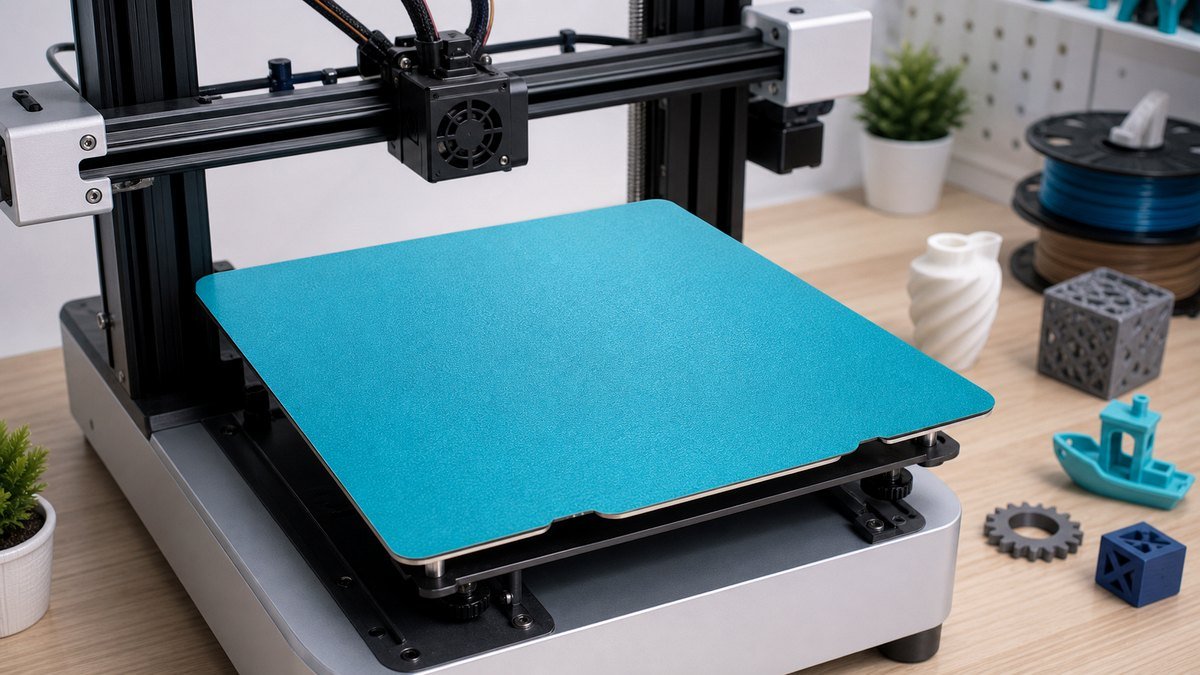
BIQU CryoGrip Build Plate Guide: Settings, Cleaning, and Real-World Adhesion Tips
The BIQU CryoGrip build plate is interesting because it tries to solve a familiar 3D printing annoyance: getting strong first-layer adhesion without always relying on a hot bed, glue, or aggressive scraping after the print cools.
Short answer: a CryoGrip-style plate makes the most sense if you print a lot of PLA, want easier part release, and are tired of tuning bed temperature around every small model. It is not magic, though. Clean surface, correct Z offset, filament choice, and slicer settings still decide whether it feels like an upgrade.
Build plates are easy to underestimate until they start ruining prints. A nozzle can be tuned, a filament can be dried, and a slicer profile can be adjusted, but if the first layer does not stay flat, the whole print becomes a negotiation. Corners lift, small parts detach, thin text curls, and large flat models develop that familiar warped edge.
The search for BIQU CryoGrip build plate usually comes from people who already understand that the bed surface matters. They are not only asking where to buy it. They want to know how it behaves, whether Glacier or Frostbite style surfaces are worth considering, what settings to start with, and whether it is a good fit for Bambu Lab printers or other machines.
What is the BIQU CryoGrip build plate?
The BIQU CryoGrip build plate is a magnetic spring steel build surface designed to improve print adhesion, especially at lower bed temperatures. Most versions are double-sided and aimed at common FDM printers, with several Panda/CryoGrip options made for Bambu Lab machines and other sizes made for printers like Voron, Anycubic, and Snapmaker.
The basic idea is simple: the coating should hold the first layer securely while printing, then release the part more easily when the plate cools or flexes. That makes it different from a plain smooth PEI sheet where the user often needs to balance bed temperature, glue stick, nozzle squish, and patience.
The Bambu-compatible CryoGrip Pro style plate is the most natural match for this article because it targets the printer group where these plates are often discussed: X1, P1, A1, A1 mini, and newer Bambu-format machines. If you are using another printer, the same surface logic applies, but size and magnetic base compatibility become more important.
How it feels different from PEI, cool plate, and textured plates
A build plate is partly about adhesion and partly about surface behavior. Smooth PEI gives clean bottoms and strong stick, but it can be fussy with fingerprints and some materials. Textured PEI gives grip and hides minor bottom-layer marks, but it can leave a texture on the print. A cool plate is useful when you want lower temperature printing, but it may need more attention to cleaning or adhesive depending on the material.
CryoGrip sits in that practical middle ground: it is meant to make lower-temperature PLA printing feel less fragile. The goal is not to replace every plate for every material. The goal is to reduce the number of failed starts on the materials people print most often.
| Plate type | Best for | What users like | What to watch |
|---|---|---|---|
| CryoGrip / low-temp grip | PLA, frequent small prints, lower bed temperature workflows. | Strong first layer without always heating the bed aggressively. | Needs a clean surface and sensible first-layer squish. |
| Textured PEI | Functional parts, PETG, everyday printing. | Durable feel, easy handling, textured bottom finish. | Texture transfers to the part; adhesion varies by filament. |
| Smooth PEI | Clean bottom surfaces and precise first layers. | Smooth finish and strong adhesion when dialed in. | Fingerprints and too much squish can cause trouble. |
| Cool plate style surface | Low-temperature PLA and quiet, energy-conscious printing. | Less bed heat and easier part handling. | Can be sensitive to oils, dust, and residue. |
Glacier vs Frostbite: how to think about the names
BIQU uses names like Glacier and Frostbite across CryoGrip Pro listings and printer-specific variants. The important thing is not just the name. Check the exact product size, printer compatibility, and surface type. A plate for Bambu Lab printers is not automatically right for a Snapmaker, Voron, or Anycubic bed even if the coating family sounds similar.
In practical terms, treat Glacier and Frostbite as surface/variant names inside the CryoGrip family. The questions to ask are: does it fit your printer, does it match your magnetic base, does your slicer have a close plate profile, and are you printing the materials this surface is best at holding?
Starting settings for PLA and everyday prints
There is no single perfect setting because nozzle, filament brand, chamber temperature, and printer calibration all matter. Still, a CryoGrip build plate is usually most interesting when printing PLA with less bed heat than you might use on standard PEI.
For a first test, use a simple model with a flat base, not a complicated print with tiny contact points. Watch the first layer closely. The line should look pressed enough to connect smoothly, but not so smashed that the nozzle plows through the coating or leaves rough ridges. If the first layer looks rounded and loose, the nozzle is too high. If it looks scarred and transparent, the nozzle may be too low.
Filament behavior: PLA, PETG, TPU, and ABS
PLA is the obvious match for a CryoGrip plate because lower-temperature adhesion is the main attraction. Small PLA parts, decorative pieces, gridfinity-style bins, tools, brackets, and prototypes are the kind of prints where a reliable first layer can save a lot of time.
PETG needs more caution. PETG can bond aggressively to some surfaces, especially when the nozzle is too low. If you test PETG, avoid excessive squish and consider whether the plate manufacturer recommends a release layer or different settings. TPU can work on many textured or grip-focused surfaces, but flexible material may be more annoying to remove if it spreads too flat into the texture.
ABS and ASA depend more on enclosure temperature and warping control than surface alone. A strong plate helps, but it cannot fully replace a stable chamber environment. If a large ABS part is lifting, the issue may be cooling stress rather than only bed adhesion.
| Material | How CryoGrip may help | Suggested habit | Risk to avoid |
|---|---|---|---|
| PLA | Strong adhesion with less bed heat. | Test first-layer speed and bed temperature in small steps. | Over-squishing and leaving residue on the surface. |
| PETG | Can grip well, but test carefully. | Use cautious Z offset and check manufacturer notes. | Bonding too hard to the coating. |
| TPU | May hold flexible prints securely. | Remove slowly and avoid thin, over-squished first layers. | Stretching parts during removal. |
| ABS / ASA | Can support adhesion, but enclosure still matters. | Control drafts and chamber temperature. | Expecting the plate alone to solve warping. |
Bambu compatibility: X1, P1, A1, A1 mini, and QR behavior
Bambu users care about plate compatibility for two reasons: size and workflow. The plate has to physically fit, but the printer and slicer also need a sensible plate profile. Some users add QR stickers or select a similar plate type manually so the printer knows what to expect.
If your printer warns about the build plate or uses automatic plate detection, do not ignore the workflow side. A good physical plate can still be annoying if the printer keeps selecting the wrong profile, heat setting, or warning state. The safest approach is to verify the selected plate type in the slicer before your first serious print.
Cleaning: the boring habit that decides whether the plate works
Most build plate complaints eventually come back to cleaning. Fingerprints, filament residue, dust, glue, and skin oils can turn a good plate into a confusing one. If adhesion changes suddenly, clean the plate before changing slicer profiles.
Warm water and mild dish soap are often the most useful reset because they remove oils better than a quick wipe. Isopropyl alcohol can help between prints, but it is not always the same as a full wash. Avoid abrasive pads unless the manufacturer specifically says the coating can handle them.
Troubleshooting first-layer problems
If a print fails on a new plate, resist the temptation to immediately change everything. A simple troubleshooting order saves time. First clean the plate. Then check the selected slicer profile. Then inspect Z offset and first-layer height. Only after that should you change bed temperature, fan behavior, or filament settings.
When a standard PEI build plate is still useful
A CryoGrip plate does not make other plates obsolete. A standard PEI spring steel sheet is still useful for PETG, functional parts, high-temperature workflows, and situations where you already trust your current profile. Many 3D printer users eventually keep several plates and choose based on the material and model shape.
That is probably the healthiest way to think about build plates. A CryoGrip surface can be the plate you reach for when you want low-temperature PLA convenience. A textured PEI plate can stay in rotation when you want durability, a predictable bottom texture, or a more familiar material profile.
Small mistakes that make a CryoGrip plate feel worse than it is
- Using the old plate profile without checking temperatures: a lower-temp grip plate may not need the same bed setting as textured PEI.
- Printing too fast on the first layer: new surfaces deserve a slower calibration print before being judged.
- Over-squishing PETG: PETG can grab too hard when the nozzle is too close.
- Cleaning only with a dry cloth: oils often need soap and water, not just a wipe.
- Removing parts too early: many prints release more cleanly after the plate cools.
- Buying the wrong size: check printer model, bed dimensions, magnetic base, and plate variant carefully.
Where coupons fit into the decision
A build plate is a practical upgrade, so choose it by compatibility and use case first. Once you know the BIQU plate fits your printer and printing habits, it is reasonable to check the final price before ordering.
After narrowing the exact plate size and printer compatibility, you can compare current BIQU offers on the BIQU coupons and deals page. Treat it as a final price check after the build plate itself makes sense.
Check Current BIQU OffersFAQ
Is the BIQU CryoGrip build plate only for Bambu printers?
No. Some Panda CryoGrip plates are made for Bambu Lab printers, but BIQU also lists CryoGrip Pro variants for other printer sizes. Always check the exact dimensions and printer compatibility.
Do I need glue on a CryoGrip plate?
For PLA, many users try the plate without glue first. Glue may still be useful as a release layer or for difficult materials, but it should not be the first fix for every adhesion issue.
What is the best first print for testing CryoGrip?
Use a flat, simple calibration shape with corners and a moderate footprint. Avoid judging a new plate using a tiny contact area or a complex model with poor bed contact.
How should I clean a CryoGrip build plate?
Start with warm water and mild dish soap when adhesion becomes inconsistent. Use isopropyl alcohol for quick maintenance if recommended, and avoid abrasive tools on the coating.