ONEXFLY APEX Air vs APEX: Intel Arc G3 Extreme vs Ryzen AI Max+ 388, Battery, Weight, TDP, and Cooling
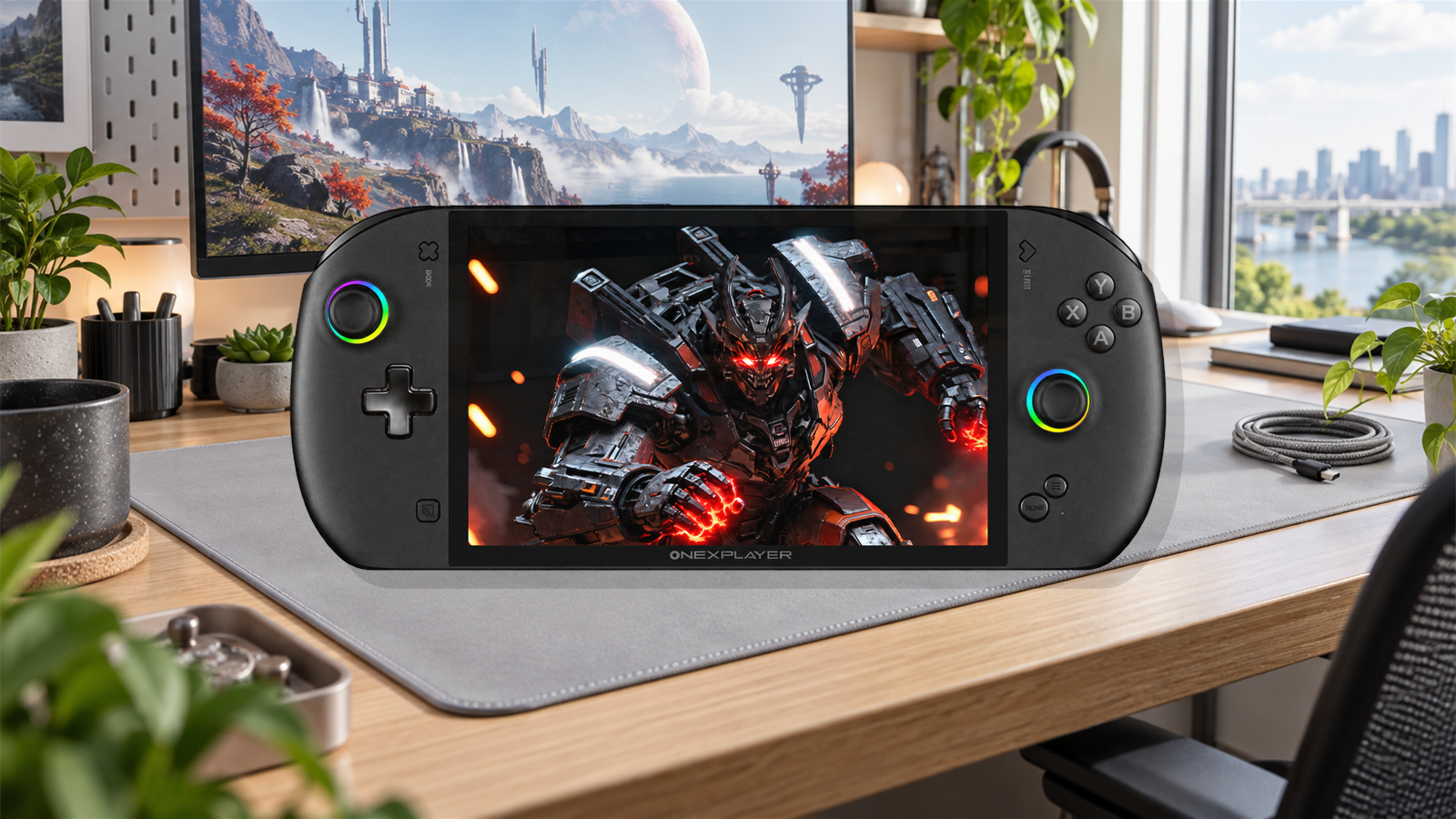
ONEXFLY APEX Air and ONEXFLY APEX look almost like trim levels, but the processor change creates two different machines. Air pairs Intel Arc G3 Extreme with 32GB of memory and a 35-45W-class cooling target. The current APEX specification pairs Ryzen AI Max+ 388 with Radeon 8060S, more memory and a much wider power envelope. Both use an 8-inch 120Hz VRR screen and the same unusual removable 85Wh battery concept.
Short answer: APEX Air is the more coherent handheld if most games will run at 18-35W, the machine is often used on wall power without its battery, and Intel’s XeSS 3 support matters. The Ryzen AI Max+ 388 APEX is the performance-first choice for demanding games, heavier creator workloads and large shared-memory allocations. Its Radeon 8060S has much more raw graphics hardware, but realizing that advantage usually means more power, more fan noise and less convincing battery life.
Competitive lower-watt performance, 32GB LPDDR5X-8533, Wi-Fi 7 and a lighter power target.
Radeon 8060S graphics, 48GB or 64GB memory options and far more headroom when plugged in.
ONEXFLY APEX Air vs APEX specifications
| Feature | ONEXFLY APEX Air | ONEXFLY APEX with Ryzen AI Max+ 388 | What changes in practice |
|---|---|---|---|
| Processor | Intel Arc G3 Extreme / Panther Lake, 14 cores and 14 threads, up to 4.7GHz | AMD Ryzen AI Max+ 388 / Zen 5, 8 cores and 16 threads, up to 5.0GHz | Core count alone is misleading because the architectures differ. The 388 has fewer CPU cores than the better-known 395 review model. |
| Integrated graphics | Intel Arc B390, 12 Xe cores, up to 2.3GHz | Radeon 8060S, 40 compute units, up to 2.9GHz | AMD has the higher raw ceiling. Intel can be unusually competitive at lower power and in games with good XeSS support. |
| Memory | 32GB LPDDR5X-8533 | 48GB LPDDR5X-7500 or 64GB LPDDR5X-8000 in current specification material | 32GB is enough for a gaming-focused Windows handheld. APEX leaves more room for large VRAM allocations, editing, virtual machines and local AI models. |
| Power target | 35W default and 40W maximum in Japanese launch material; the US listing advertises a sustained 45W peak | 45-120W cTDP range, with high settings intended for plugged-in or liquid-cooled use | Air has a narrower, more portable operating range. APEX can spend much more power, but 120W should not be treated as a normal battery setting. |
| Display | 8-inch LCD, 1920×1200, 120Hz VRR, 500 nits, 100% sRGB | 8-inch LCD, 1920×1200, 120Hz VRR, 500 nits, 100% sRGB | There is no meaningful panel-spec victory here. Neither current APEX specification describes an OLED screen. |
| Battery | Removable 85Wh module, approximately 380g | Removable 85Wh module, approximately 380g | Both can be lighter on wall power and can swap packs, but the attached battery substantially changes total weight and balance. |
| Published base weight | Approximately 639g in Japanese hands-on reporting; about 729g in the US specification graphic | Approximately 706-729g for air-cooled versions in available specifications and reviews | The documentation conflicts. Compare the exact regional SKU and remember that these numbers exclude the battery. |
| Air cooling | Two fans, four heat pipes, 47,200mm2 fin area, up to 6.7 CFM per fan | Comparable published dual-fan and four-heat-pipe arrangement; optional external liquid-cooling configuration | Air is designed around sustained 35-45W operation. APEX cooling becomes more important as power climbs above that range. |
| Storage expansion | M.2 2280 PCIe 4.0, external Mini SSD slot and microSD | M.2 2280 PCIe 4.0, external Mini SSD slot and microSD | Both allow fast removable Mini SSD expansion without sacrificing the internal drive. |
| Wireless | Wi-Fi 7 and Bluetooth 5.4 | Wi-Fi 6E and Bluetooth 5.2 | Air has the newer radio specification, although router quality and driver stability matter more than the label for normal game downloads. |
| Ports | USB-C 4.0, USB-C 3.2, USB-A 3.2, Mini SSD, microSD and 3.5mm audio | Similar expansion plus a dedicated DC power input in the current sheet | The APEX DC input can leave USB4 free for a dock or eGPU while charging. |
Arc B390 versus Radeon 8060S
The Radeon 8060S is the obvious specification-sheet winner. Forty RDNA 3.5 compute units give it a larger graphics engine than the 12-core Arc B390, and independent high-power systems consistently show the AMD GPU pulling ahead when it receives enough memory bandwidth, cooling and package power. That makes APEX 388 the safer choice for native-resolution AAA gaming, heavy texture packs and games that do not have a good upscaling path.
Arc B390 is more interesting than the raw core count suggests. Independent wattage-controlled testing shows it can approach or beat Radeon 8060S in some low-power tests before AMD takes the lead at higher limits. That behavior suits a handheld that is designed around roughly 35-45W rather than a system chasing a 75W or 120W benchmark mode. It also makes the game’s API, Intel driver version and XeSS implementation unusually important.
XeSS 3 can add upscaling and frame-generation options in supported games. Those generated frames can make motion appear smoother, but they do not remove input latency or turn an unstable base frame rate into responsive play. Start with a stable 40-60fps base, then test frame generation. For competitive games, lower settings and native rendered frames usually remain the cleaner choice.
This is a directional reading of architecture and independent cross-device testing, not an exact FPS benchmark of the two retail ONEXFLY configurations. No controlled APEX Air-versus-APEX 388 game suite was available when this comparison was prepared.
Why 1200p changes the result
Both handhelds use a 1920×1200 screen. That is 11 percent more pixels than 1920×1080 and more than twice the pixel count of 1280×800. A game that looks GPU-limited at native resolution may become smooth at 1600×1000, 1440×900 or 1280×800 with a sensible quality upscaler. The panel’s VRR support helps uneven frame delivery look cleaner, so a stable 42-50fps can feel better than a wildly changing attempt at 60fps.
APEX 388 has more room to hold native 1200p in demanding games. Air’s best use is often a lower internal resolution reconstructed to the panel, especially when running below 30W. That is not a failure of the display; it is how an 8-inch high-refresh panel can serve both sharp desktop work and efficient gaming.
A practical TDP strategy
| Power range | APEX Air expectation | APEX 388 expectation | Best use |
|---|---|---|---|
| 12-18W | Best efficiency zone for lighter games; B390 should retain a useful share of its performance | Radeon 8060S is heavily constrained and may not justify the larger platform | Indies, emulation, older PC games and long battery sessions |
| 20-28W | Likely everyday portable range with a good balance of noise and frame rate | Usable, but some of the 8060S advantage remains locked behind the power limit | Most handheld play at 800p-1000p with VRR |
| 30-40W | Near the intended performance range; watch fan tone and battery discharge | Begins to separate in GPU-heavy games, though the chassis still has more to give | Demanding games with an outlet nearby or short untethered sessions |
| 45-50W | Upper documented territory; returns may flatten by game | A practical original-APEX owner sweet spot for strong performance without chasing maximum fan noise | Plugged-in AAA gaming and performance comparisons |
| 55-80W | Outside the Air’s stated operating target | Radeon 8060S can stretch its lead, but noise, heat and power draw rise quickly | Desk use, large charger, dock or cooling accessories |
| Up to 120W | Not applicable | Headline ceiling for specialized plugged-in operation, not a sensible default | Short maximum-performance runs with appropriate cooling |
An original APEX owner review found roughly 45-50W to be the preferred balance: the grips remained comfortable, while fan noise was clearly audible but more manageable than pushing the chassis harder. That report came from a Ryzen AI Max+ 395 unit. It is useful evidence about the body and cooling layout, not a measured recommendation for every 388 game.

The removable battery changes the meaning of portable
Both APEX designs move the 85Wh battery into a detachable rear module. The idea has three real advantages: the handheld can become much lighter on wall power, a depleted pack can be replaced without opening the chassis, and battery wear does not automatically turn the entire device into a repair job. APEX Air also supports hot swapping, so a second charged module can extend a session without shutting Windows down.
The compromise is mass. The battery itself is published at about 380g. Add it to the reported 639g Japanese APEX Air body and the working total is about 1,019g. Add it to the 729g figure in the US specification image and the total becomes about 1,109g. That 90g disagreement is large enough that neither figure should be treated as universal until retail units from each region are weighed.
Original APEX owners repeatedly describe the same split. Some like removing the pack and playing beside a charger because the bare handheld feels unexpectedly comfortable. Others find the attached pack too heavy or dislike managing a cable when the battery sits separately. The design works best when the buyer already knows which of three modes fits daily use:
Cooling, fan noise and the real benefit of APEX Air
APEX Air is not simply a weaker APEX. Its dual 5,400RPM fans, four heat pipes and 47,200mm2 fin area are substantial for a 35-45W target. The cooling system is designed to keep Arc B390 near its useful ceiling without requiring the external Frost Bay liquid-cooling accessory associated with high-power APEX configurations.
The AMD APEX can use a similar air-cooled layout, but its 45-120W power range creates a different problem. At 45-50W, owner reports suggest the chassis can keep heat away from the grips reasonably well. Above that, each extra watt buys a smaller performance gain while increasing exhaust temperature and fan noise. A 120W mode may be interesting for a desk benchmark, but it removes most of the ergonomic logic of an 8-inch handheld.
Noise should be judged by pitch as well as decibels. Two fans can move more air at lower individual load, but a narrow high-frequency tone may still be distracting. Before committing to a final profile, test a quiet game scene, a CPU-heavy compilation or shader-building sequence, and a sustained GPU load. A profile that is acceptable under speakers may become tiring with the game muted.
Controls, display and everyday handling
The two APEX models share the strongest parts of the physical design: full-height capacitive sticks, Hall-sensing adjustable triggers, rear inputs, dual linear haptics and a six-axis motion sensor. The triggers can switch between an 8mm analog throw and a short 2mm action, which is more useful than a cosmetic mode toggle. Long travel suits driving games; short travel makes repeated shooting inputs faster.
The controls are fixed rather than detachable. That makes the chassis more rigid and avoids side-rail movement, but a damaged controller is not as easy to replace as a detachable module. One detailed APEX owner review praised the soft stick caps, slightly rubberized shell and grip comfort when the battery was removed. That experience supports the shape of the Air, but the new model still needs long-term owner evidence for button consistency and stick wear.
The shared 8-inch LCD is a practical compromise. Native landscape orientation avoids the rotation problems of older portrait panels, 120Hz leaves room for lighter games, and VRR matters more than chasing triple-digit frame rates in demanding titles. The published 500-nit brightness should be comfortable indoors and usable in shade, but it is not an outdoor-sunlight specification. Buyers expecting OLED blacks or HDR impact should not infer those features from the premium price.
Memory and storage: 32GB is not the whole story
APEX Air’s 32GB is enough for Windows, a modern game and a sensible graphics-memory allocation. It becomes restrictive when the same machine is expected to run a large local AI model, a virtual machine, an editor and a game at once. Because integrated graphics borrow system memory, assigning an excessive fixed VRAM pool can also starve Windows without improving a game that was already GPU-bound.
APEX 388 offers 48GB and 64GB configurations in current specification material. The extra capacity is valuable for workstation use and large texture or mod workloads, but it does not turn the 8-core 388 into the 16-core 395. Choose it for memory capacity and Radeon 8060S graphics rather than assuming every old APEX productivity chart applies.
Both machines support a full-size M.2 2280 PCIe 4.0 drive, microSD and an external Mini SSD slot. A sensible storage plan is to keep Windows and frequently played games on the internal SSD, use Mini SSD for a fast removable library, and reserve microSD for emulation, media and less demanding titles. Tiny game updates can become painful on a slow or nearly full microSD card even when average read speed looks adequate.
Settings that make more sense than maximum mode
- Start at 1200×800 or 1600×1000. Choose the lower value for demanding games and the higher one for UI-heavy RPGs or strategy titles where text clarity matters.
- Set a frame target before raising TDP. Try 40fps or 48fps with VRR, then increase power only when the frame-time graph shows a repeatable GPU limit.
- Use upscaling in Quality or Balanced mode. Ultra Performance at this screen size can produce unstable fine detail, especially in foliage, hair and thin geometry.
- Test frame generation last. First establish a responsive base frame rate. Generated frames improve presentation, not simulation or input latency.
- Cap background power. Pause game-launcher downloads, disable unnecessary startup tools and let shader compilation finish before judging performance.
- Watch total system power, not only the TDP slider. Screen brightness, SSD activity, memory and the USB devices also consume the 85Wh battery.
- Keep one conservative profile. A quiet 18-22W preset is useful for travel, while a 35-45W plugged-in profile can handle heavier games without rebuilding every setting.
Which APEX should you choose?
| Buyer or workload | Better starting choice | Reason | Important check |
|---|---|---|---|
| Most play happens at 18-30W | APEX Air | Arc B390 is designed to stay competitive in the lower handheld power range | Confirm the game library has stable Intel drivers and suitable XeSS or resolution-scaling options |
| Demanding AAA games on wall power | APEX 388 | Radeon 8060S has substantially more high-power graphics headroom | Accept fan noise and use a charger capable of sustaining the chosen profile |
| Local AI, editing or heavy multitasking | APEX 388 with 64GB | Shared-memory capacity matters more than Air’s faster 32GB memory specification | Do not confuse 388 CPU performance with 16-core 395 reviews |
| Playing beside a charger without the battery | APEX Air | Lower target power and potentially lighter published base weight suit tethered handheld use | Verify the exact retail weight because regional documents disagree by about 90g |
| Fully untethered couch or travel use | Neither without a weight test | Both approach or exceed one kilogram with the 380g battery attached | Hold a similarly weighted device for 30 minutes and check airline battery rules before travel |
| Used APEX bargain | APEX if battery revision and condition are confirmed | Radeon 8060S performance can remain compelling at the right price | Check whether it is a 385, 388 or 395 model and verify the battery under sustained load |
Pre-purchase checks that prevent the wrong APEX
Verify the hardware
- Exact processor: Arc G3 Extreme, Ryzen AI Max+ 388 or older 395/385.
- Installed memory and whether the listing describes speed or capacity correctly.
- Battery revision, included charger and regional warranty route.
- Air-cooled versus liquid-cooled APEX package.
- Keyboard, dock, Mini SSD and spare battery inclusions.
Test during the return window
- Dead pixels, backlight uniformity and VRR behavior.
- Stick centering, trigger-mode switches and every rear button.
- Battery discharge at 20W and 40-45W.
- Fan pitch after 20 minutes of sustained load.
- Sleep, resume, fingerprint sign-in, Wi-Fi and USB4 dock behavior.
Configurations and availability can change quickly. Compare current ONEXPLAYER deals, coupons and tracked prices before choosing the processor, memory and accessory bundle that matches this comparison.
Final verdict
ONEXFLY APEX Air makes the unusual APEX formula more focused. It keeps the excellent 8-inch 120Hz VRR format, large removable battery, full controls and generous storage expansion, then matches them to a processor that is more comfortable in a conventional handheld power range. For someone who values efficiency, plays at 800p-1000p and expects to remove the battery while plugged in, Air is the more balanced design.
APEX 388 is the machine for buyers who know why they need Radeon 8060S and more than 32GB of unified memory. It has a higher gaming and workstation ceiling, but that ceiling is reached through power and cooling rather than magic. The best APEX experience reported by owners is often around 45-50W, not at the biggest number in the control panel.
The remaining uncertainty favors patience. APEX Air has hands-on coverage but no meaningful retail-owner history yet, its regional documents disagree on weight and maximum TDP, and there is no controlled Air-versus-388 game suite. The smart decision is therefore not “Intel or AMD” in isolation. It is whether the device will be used as a 20-35W handheld or a 45W-plus compact gaming PC. Air fits the first role; APEX 388 has the hardware to win the second.
ONEXFLY APEX Air vs APEX questions
Is ONEXFLY APEX Air faster than ONEXFLY APEX?
Not at maximum power. The Ryzen AI Max+ 388 APEX uses Radeon 8060S graphics with a much higher raw ceiling. Arc B390 in APEX Air can be competitive at lower handheld power, and its result improves in games with good XeSS support, but no controlled retail Air-versus-APEX 388 test set was available at publication.
Does ONEXFLY APEX Air have an OLED screen?
No. Current specifications describe an 8-inch native-landscape LCD with 1920×1200 resolution, 120Hz refresh, VRR, 500-nit brightness and 100% sRGB coverage. The current APEX specification describes the same panel class.
How much does APEX Air weigh with the battery?
The removable 85Wh battery is listed at about 380g. Japanese hands-on reporting gives a 639g body weight, implying about 1,019g together. A US specification graphic lists about 729g without the battery, implying about 1,109g. Because the documents conflict, verify the exact regional retail unit.
Is the Ryzen AI Max+ 388 APEX the same as the 395 model in reviews?
No. Ryzen AI Max+ 388 has 8 CPU cores and 16 threads, while Ryzen AI Max+ 395 has 16 cores and 32 threads. Both use Radeon 8060S graphics, so GPU behavior can be directionally similar, but CPU benchmarks and multitasking results from a 395 should not be assigned to the 388.
Can the APEX battery be replaced while playing?
The detachable 85Wh design is intended for swapping, and APEX Air is described as supporting hot swap. The system still needs enough standby power to bridge the change, and a new owner should test the process with noncritical work before relying on it during a game.
What TDP should be used on ONEXFLY APEX?
There is no universal setting. About 18-28W is a useful starting range for portable play, while 35-45W suits demanding games near an outlet. An original APEX 395 owner preferred roughly 45-50W as a balance of performance and fan noise. Higher APEX settings are better treated as plugged-in specialist modes.
Technical references and public field evidence
- GameMakers APEX Air launch-event specifications and handling report
- ITmedia PC User hands-on report for ONEXFLY APEX Air
- Joey’s Retro Handhelds original APEX owner review
- DROIX APEX performance, cooling and early battery testing
- Notebookcheck Arc B390 wattage-controlled performance analysis
- AMD Ryzen AI Max+ 388 processor specification
- Early APEX Air community discussion
- Original APEX owner discussion about battery placement, weight and travel
- Community record of the original APEX battery revision